Your AI LinkedIn setter
Fill your calendar with B2B meetings on autopilot.
Settr attracts and finds your ideal customers on LinkedIn, gives them a resource built with AI and talks to them in your voice until the meeting is in your calendar.
- From €99 a month
- See the panel before you pay
- Human pace, no patterns
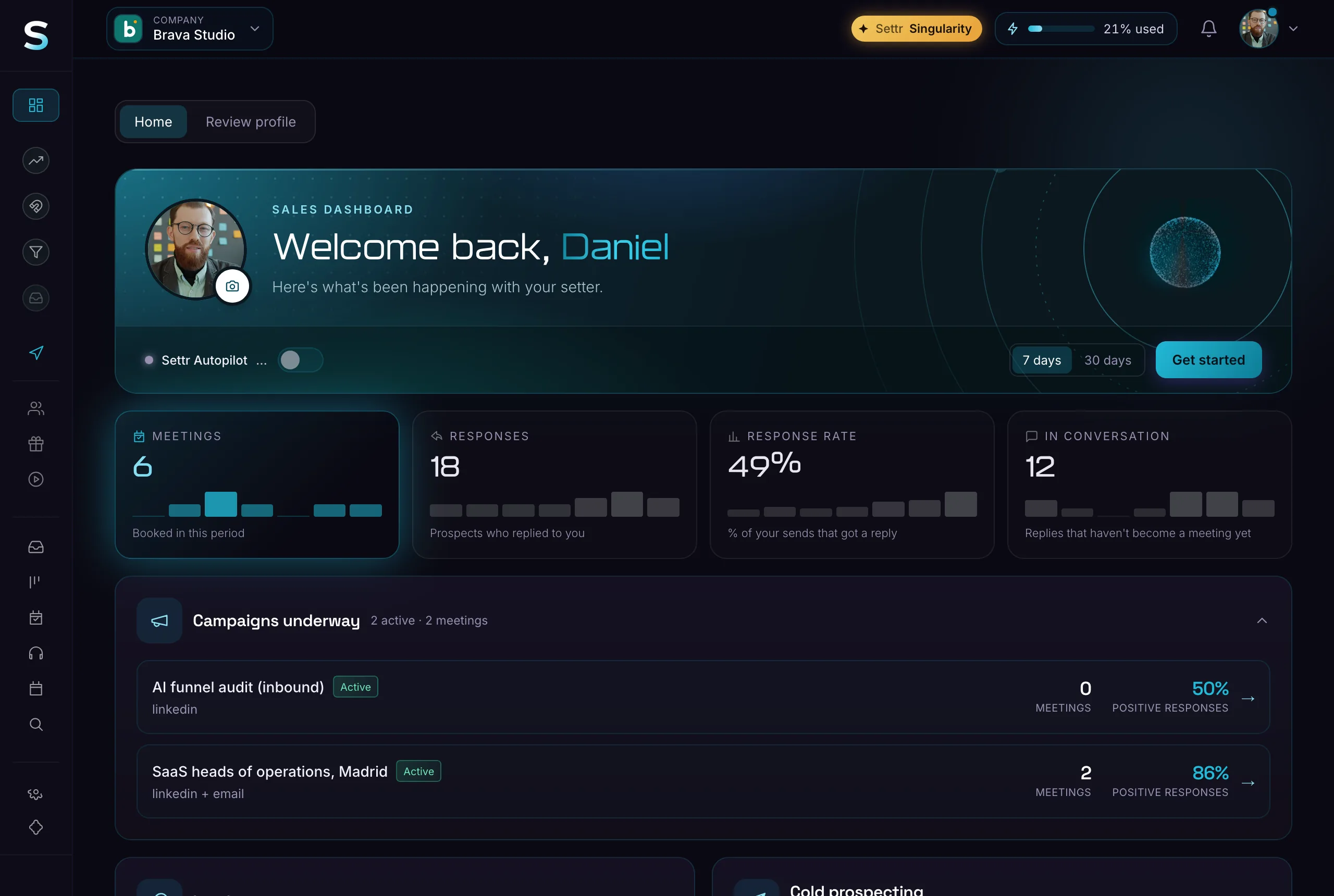
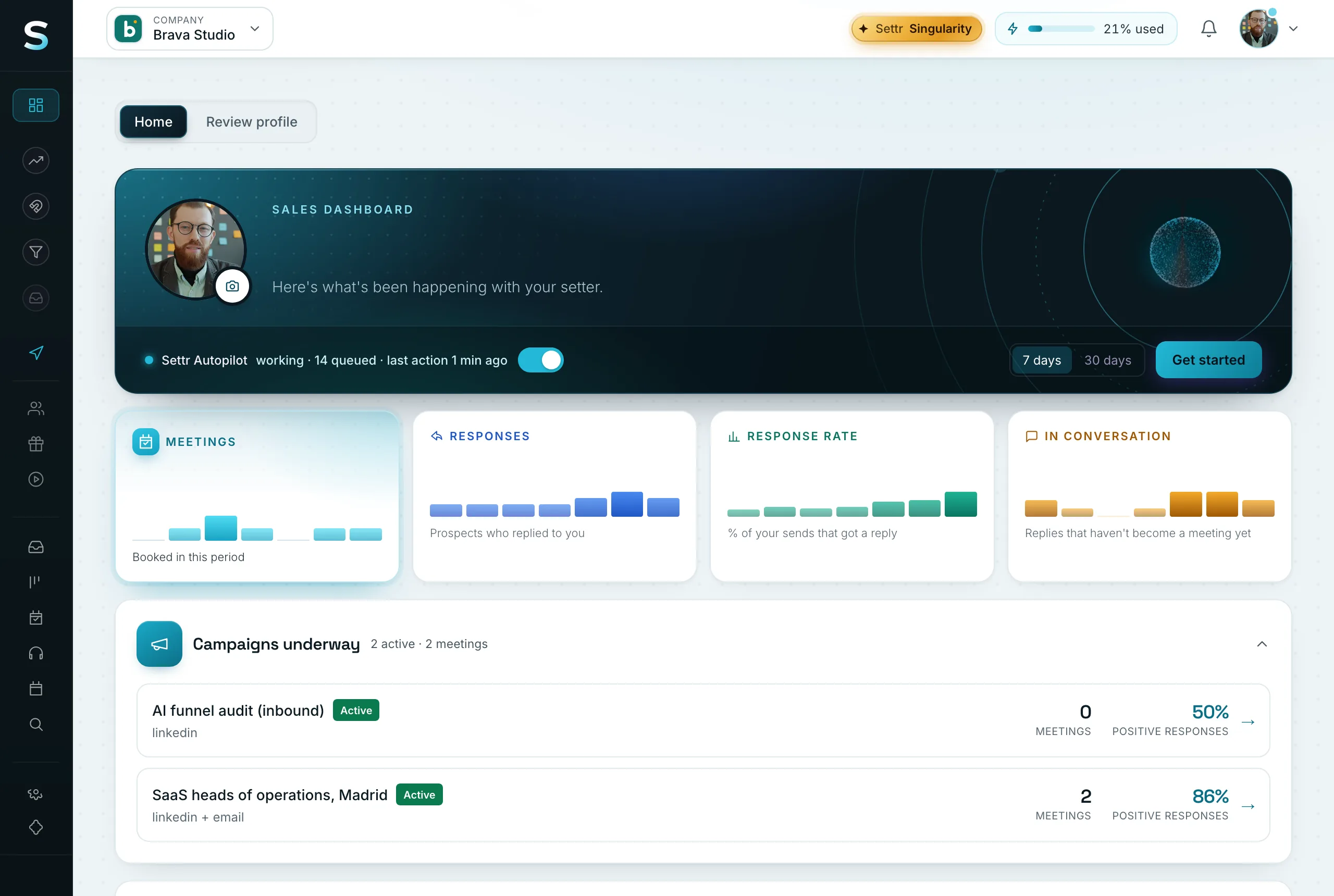
ForB2B agenciesConsultanciesSaaSRecruitersB2B services
Real screenshots of the dashboard with a sample account.
What Settr does for you
From first contact to close
- Inbound41comments27leads
Leads that come to you
You post lead magnets based on what is already going viral in your niche and the AI builds the resource you offer. Whoever comments gets it by DM. - Outbound
- No meta description
- Two H1 headings on the homepage
- 14 images without alt text
gaps on Ondalia's website
Messages that give, not spam
It spots a real gap in each prospect's business and proves it with a resource: an audit, an AI skill or an automation. - 24/7 setter
Replied in 2 min · meeting on Thursday
A setter that never sleeps
Replies right away in your voice, handles objections and puts the meeting on your calendar. - AI CloserNow
ask what it costs them today
A closer with you on the call
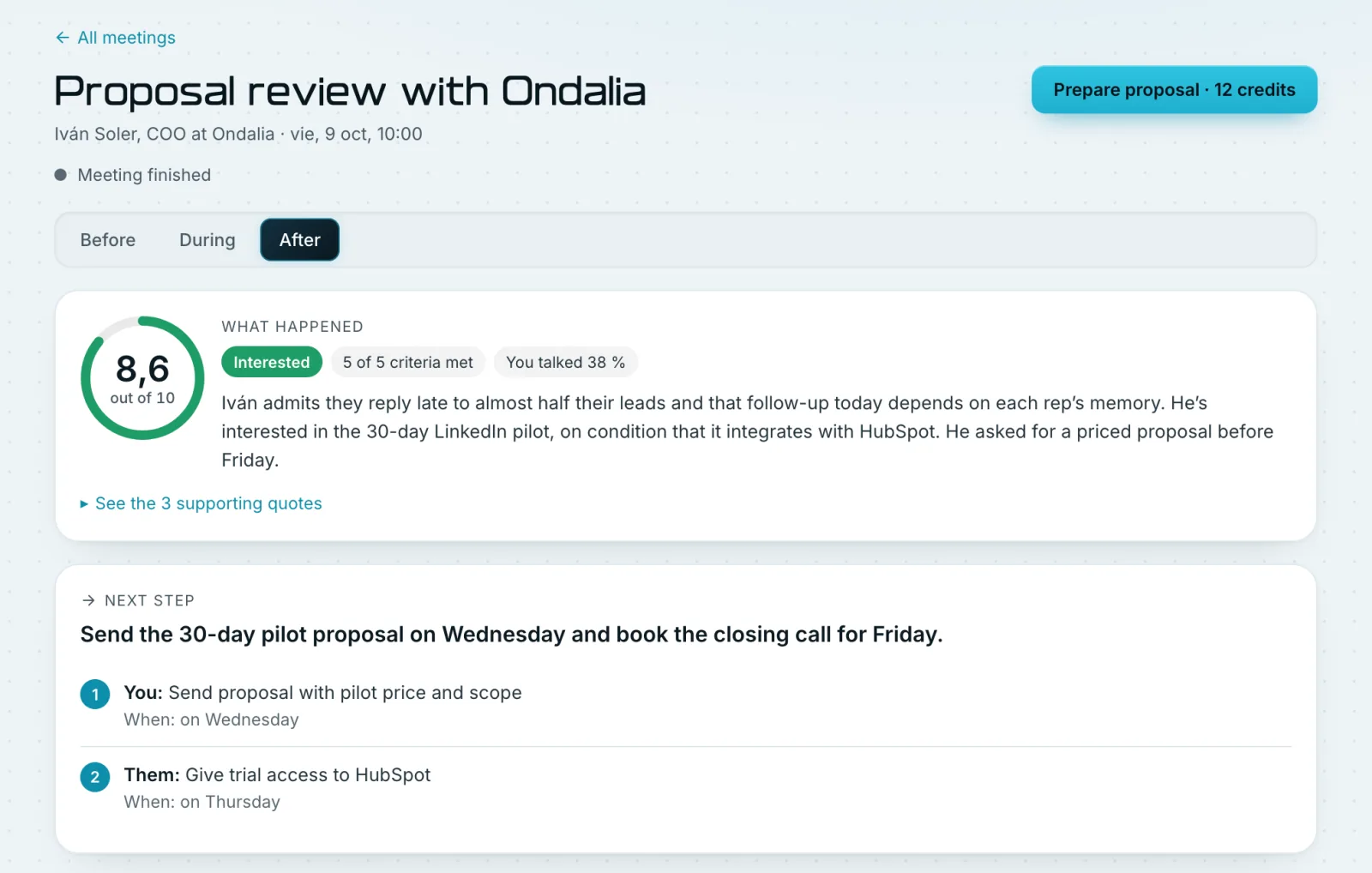
Tells you live what hurts the client and what to answer. When you hang up, it drafts the proposal and the follow-up.
Example figures and names
You've already tried automating LinkedIn
More messages aren't more sales. They're just more spam.
Settr isn't the AI that sends messages: it's the one that brings you business. A setter on LinkedIn and a closer on the call that apply the best sales strategies.
| Today | With Settr |
|---|---|
| You send hundreds of cold messages and almost nobody replies. | Settr spots the posts that work in your industry and drafts yours with a lead magnet built with AI. People ask you for it in the comments: they come to you. |
| Building a decent lead magnet takes you weeks. | Settr builds it with AI and your brand: an audit, an AI skill or an automation ready to give away. |
| You reply late, the follow-up slips and the lead goes cold. | Settr messages each person in your voice, at a human pace, and picks every conversation back up where you left it. |
| You get the meeting, but on the call you don't know what to say to close. | The AI Closer flags on the call what hurts them and what to answer, and when you hang up it leaves you the proposal and the follow-up. |


Make your ICP raise their hand
One post, one lead magnet, a full calendar.
Your ideal customer
Ready- RoleHead of operations or growth
- IndustrySaaS and B2B services
- Size20 to 200 people
- CountrySpain
Signals you look for
Hiring sales repsNo defined follow-upUses HubSpot or Pipedrive
Already a fit
- MQMarta QuintanaHead of Operations · Kliv94%fit
- PAPablo ArjonaSales Director · Arkento91%fit
- LPLaura PastorHead of Growth · Treso88%fit
- AVAndrés VidalHead of Growth · Vantta87%fit
Tell it who you want to sell to
Role, industry, size and country of your ideal customer. Settr uses it to decide who to talk to and who not to.
Your ideal customer
Ready- RoleHead of operations or growth
- IndustrySaaS and B2B services
- Size20 to 200 people
- CountrySpain
Signals you look for
Hiring sales repsNo defined follow-upUses HubSpot or Pipedrive
Already a fit
- MQMarta QuintanaHead of Operations · Kliv94%fit
- PAPablo ArjonaSales Director · Arkento91%fit
- LPLaura PastorHead of Growth · Treso88%fit
- AVAndrés VidalHead of Growth · Vantta87%fit
Spots who fits and shows intent
Who comments on your post, who accepts your connection and what is working in your industry. Every person, with their fit with your ICP.
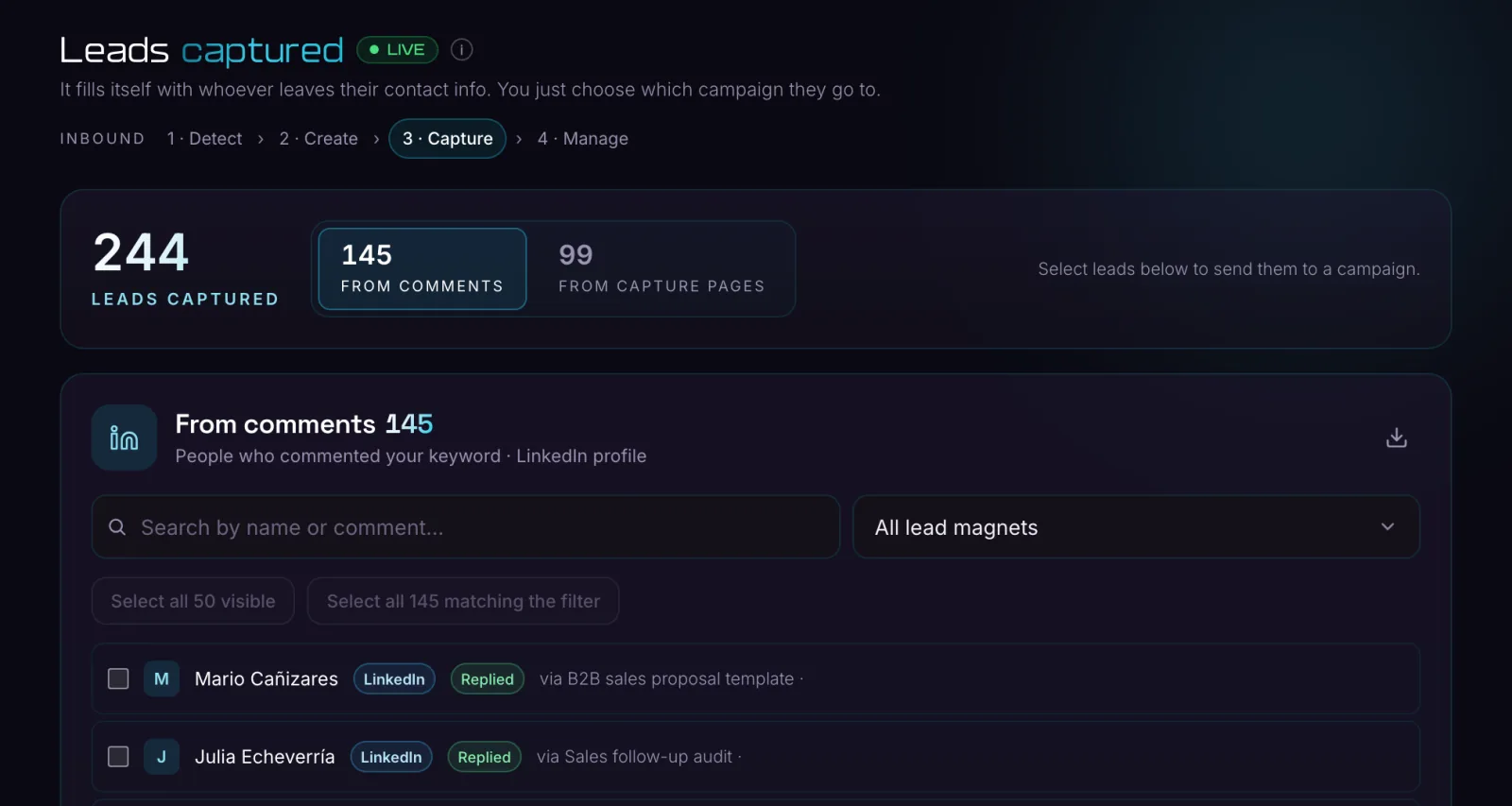
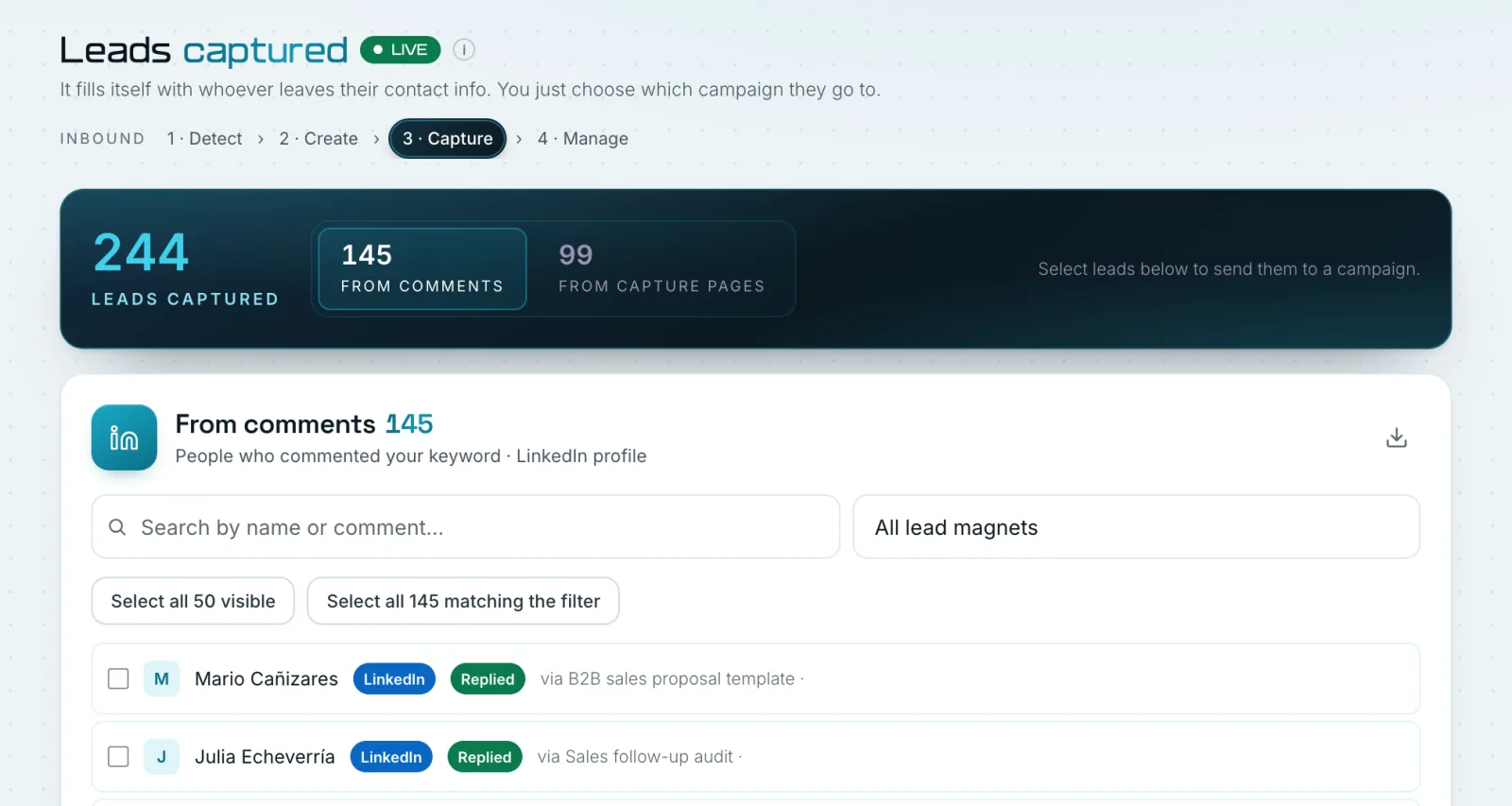
Builds the resource with AI and publishes it
In-depth audits of each prospect's website, LinkedIn or sales, AI skills, n8n automations, templates and guides. With your brand, its own page and the LinkedIn post right away or scheduled.
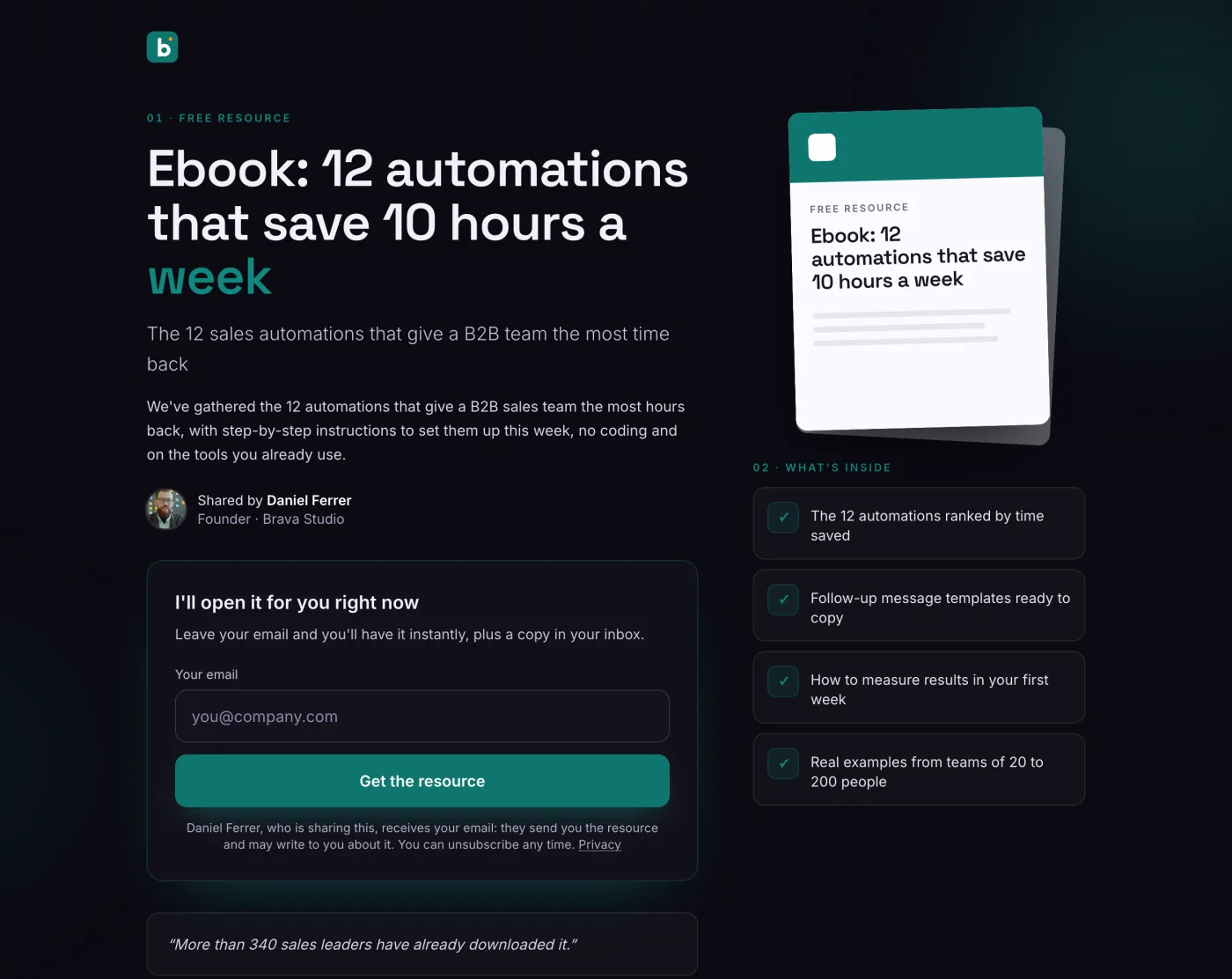
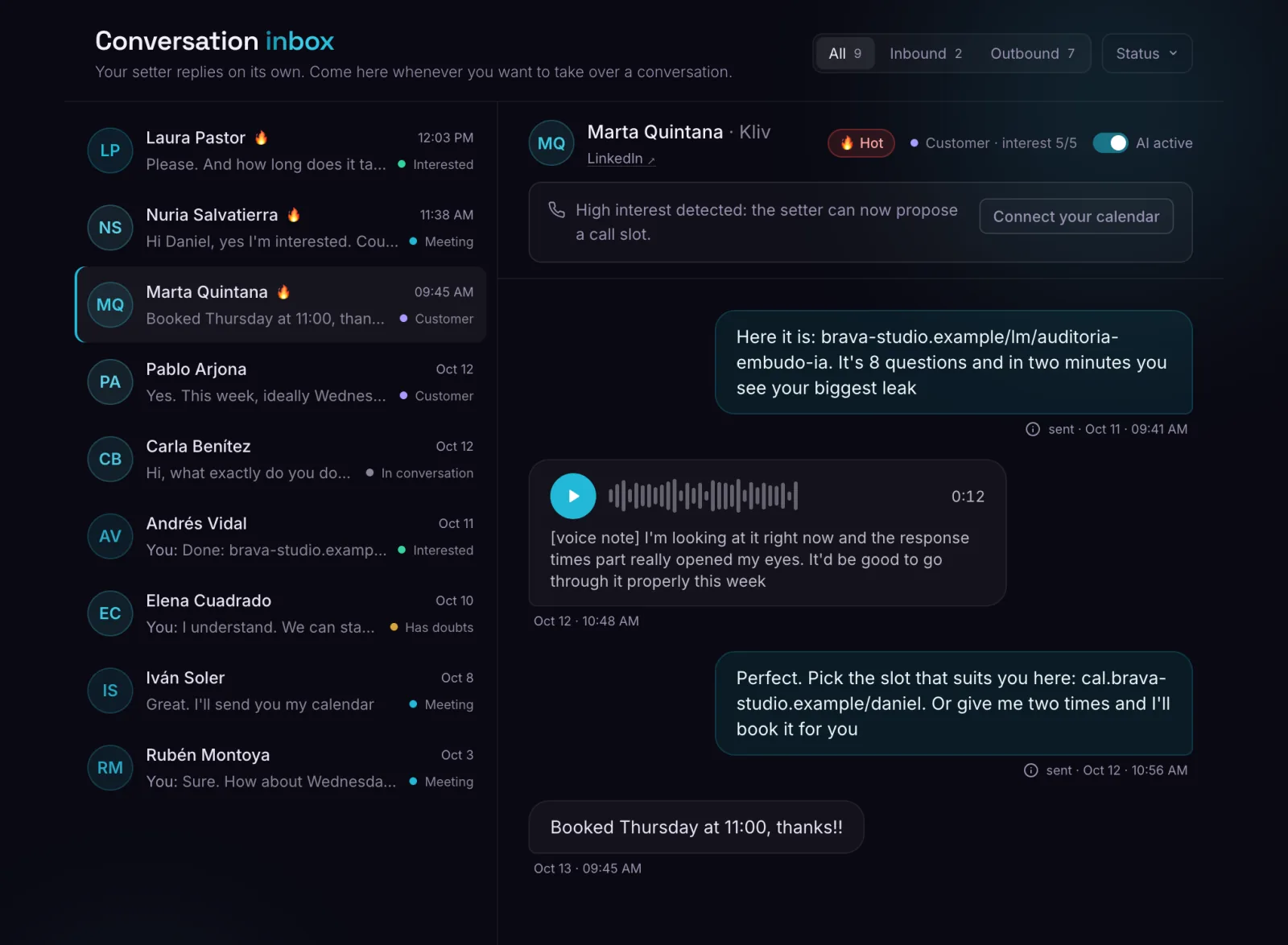
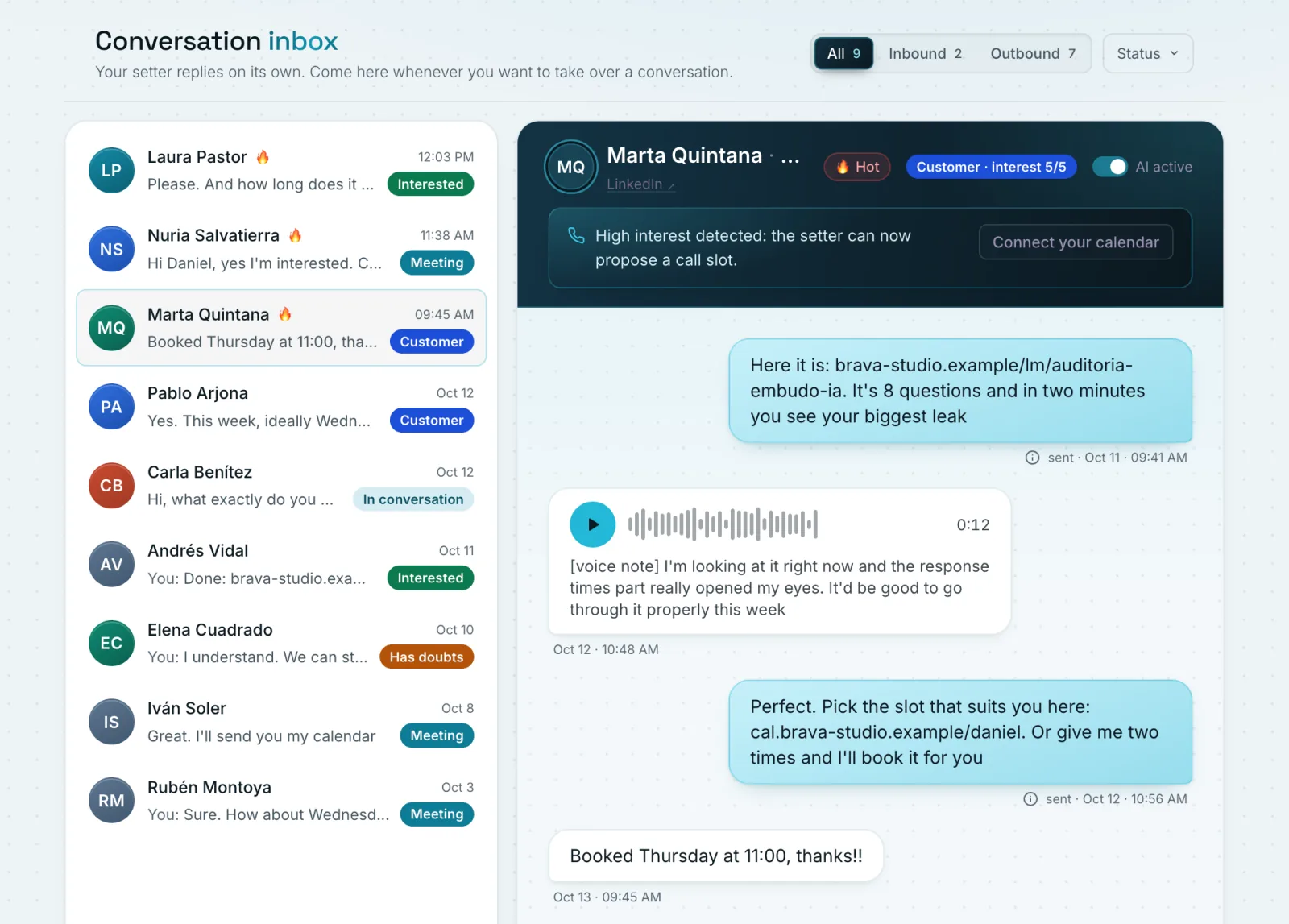
Talks with memory and in your voice
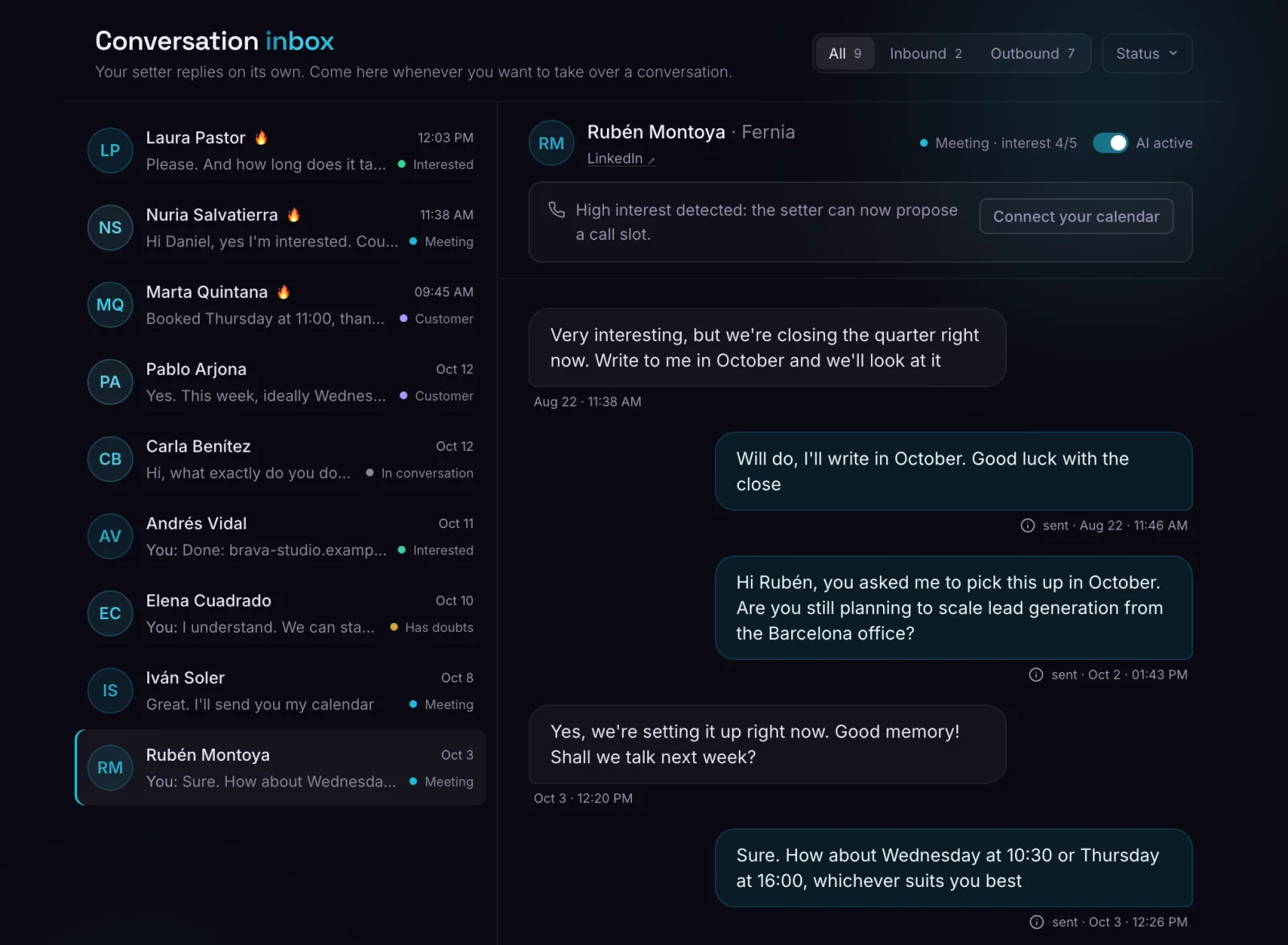
Replies on LinkedIn or email starting from what they already told you, and sends voice notes in your own voice.
Puts the meeting in your calendar
Only when there is fit and need, with real free slots from your calendar.
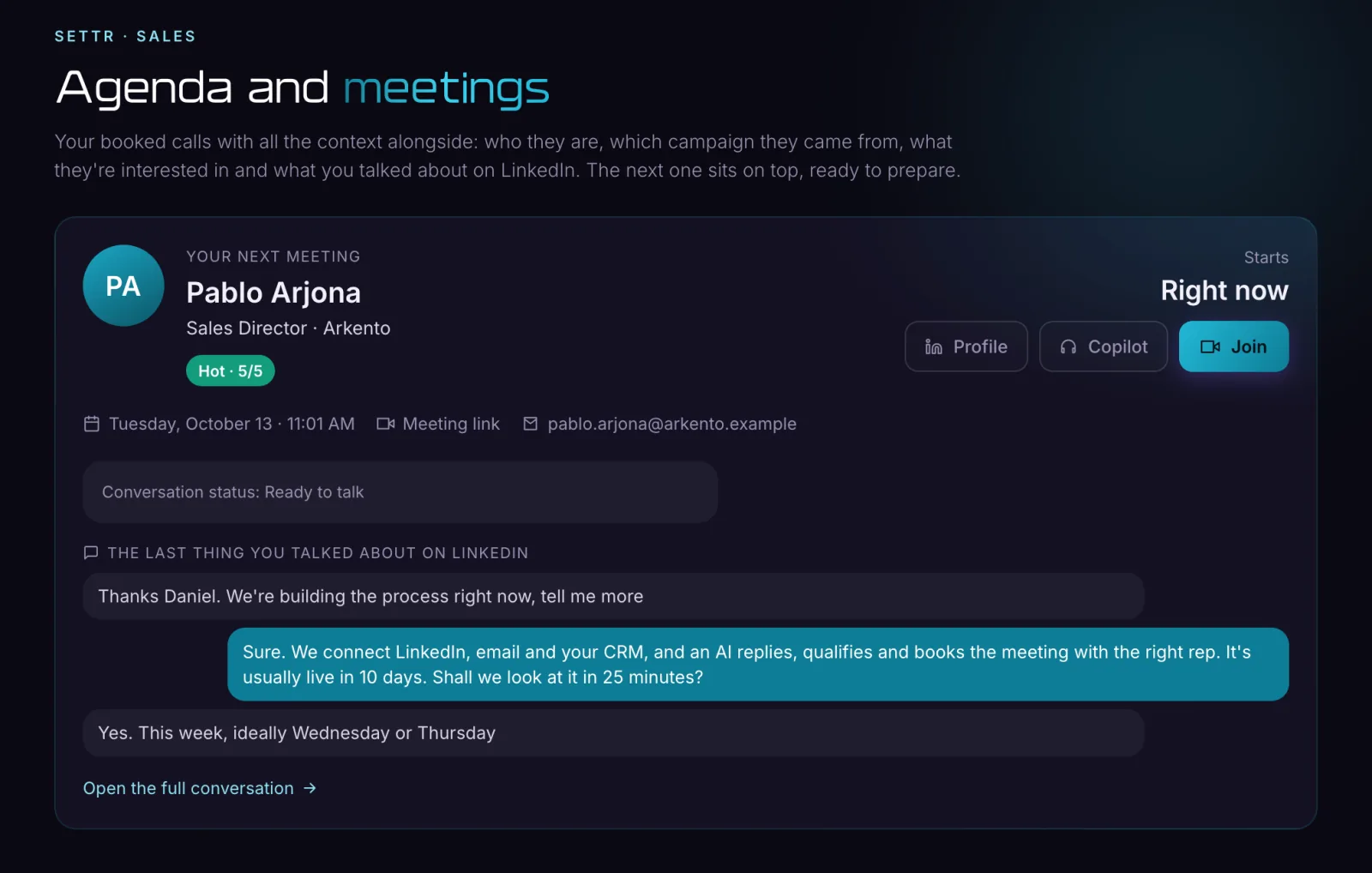
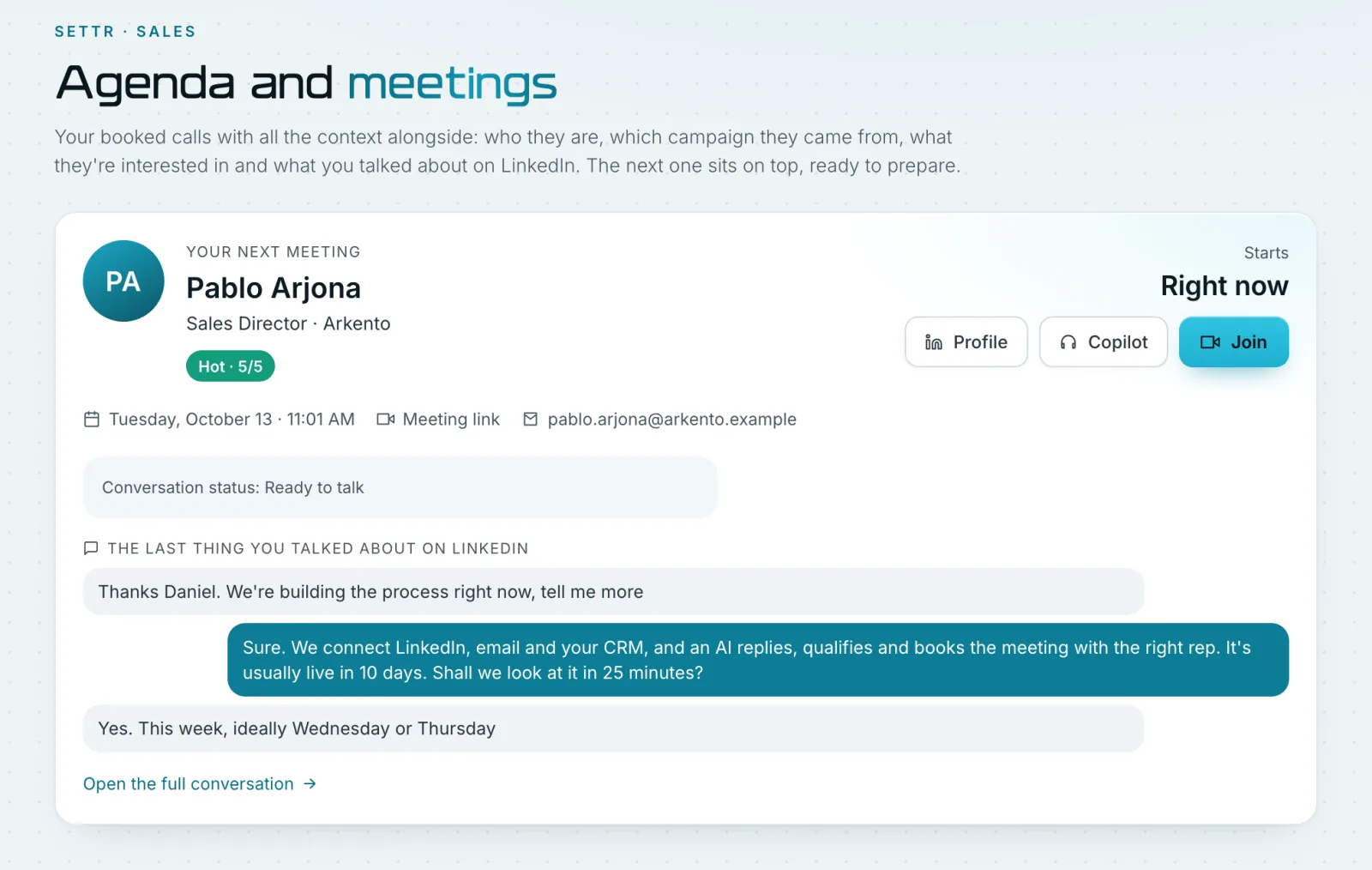
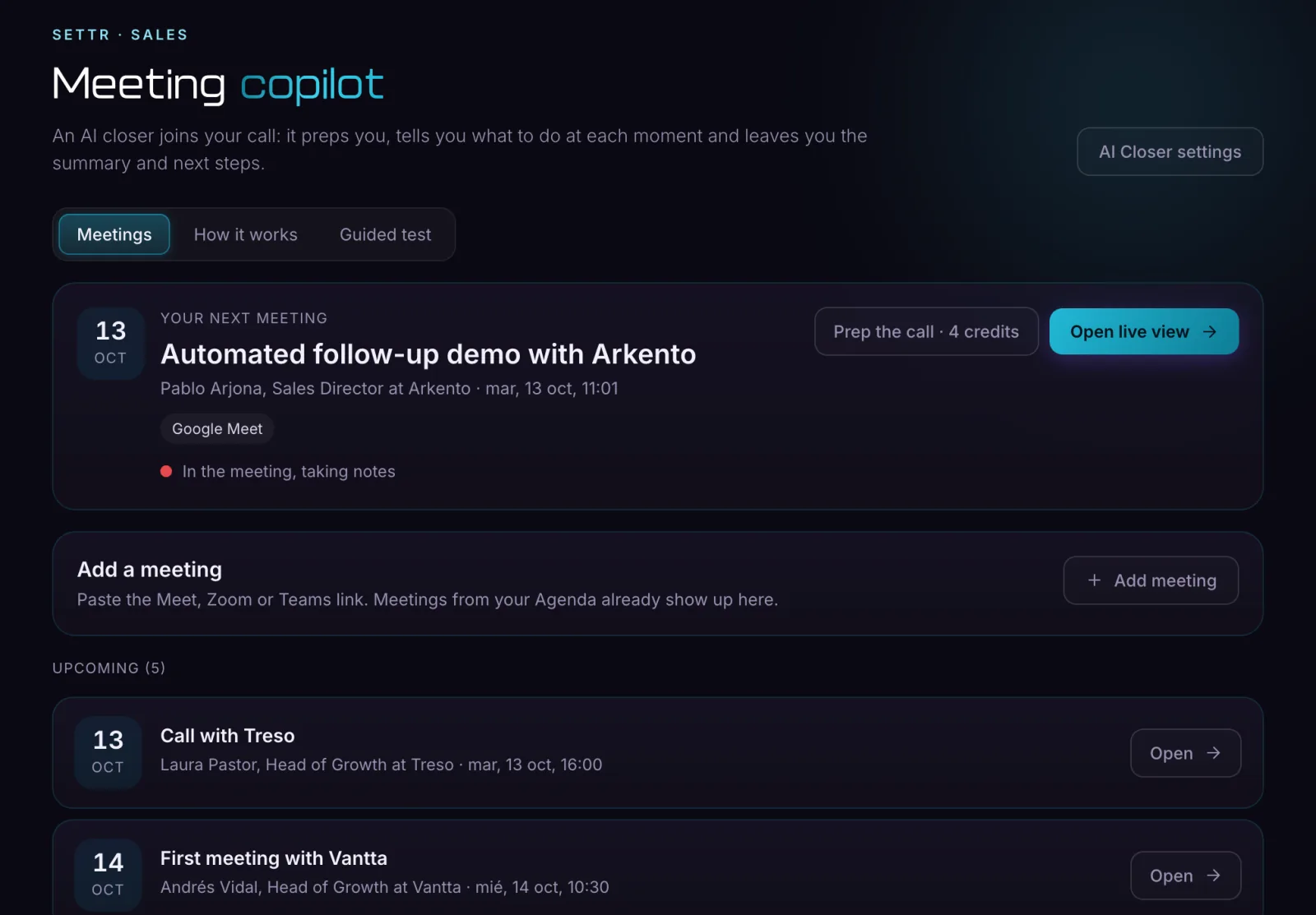
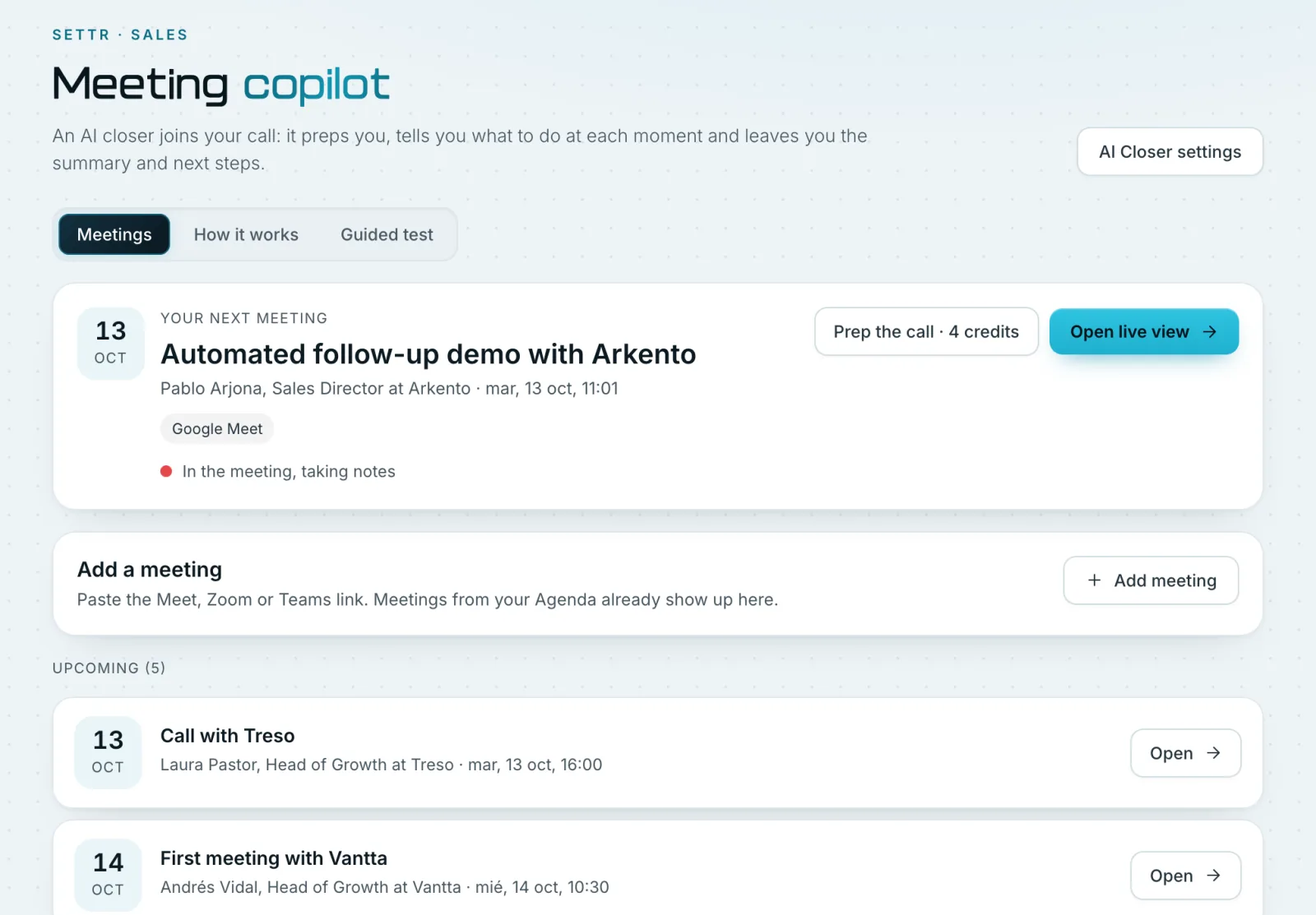
Joins the call with you
Records and transcribes the meeting, and flags the key moments and how interested the lead is.
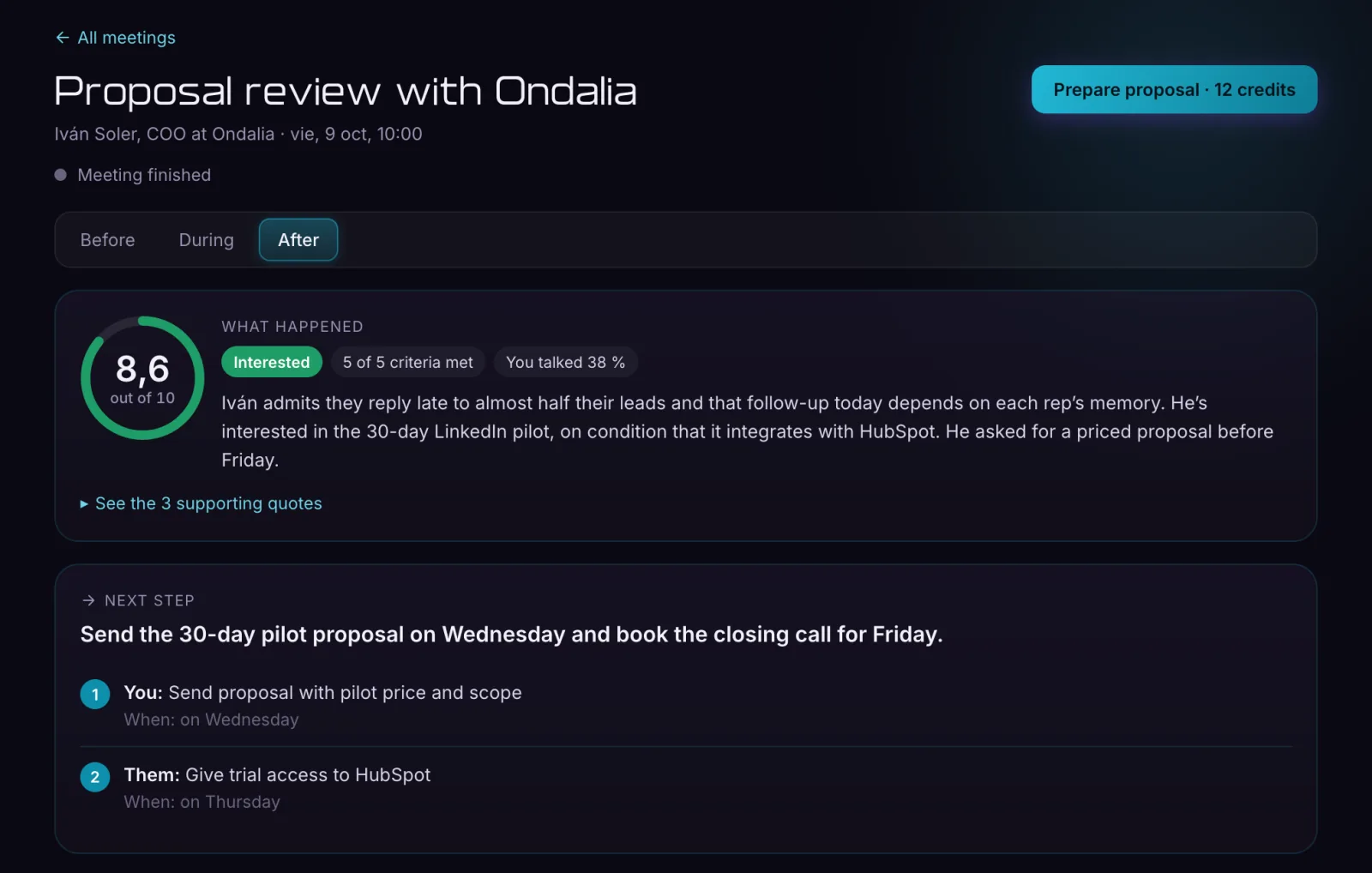
Leaves the proposal ready
When you hang up, the proposal and follow-ups come straight from what was said on the call.
From first message to meeting
Settr remembers the conversation and speaks like you.
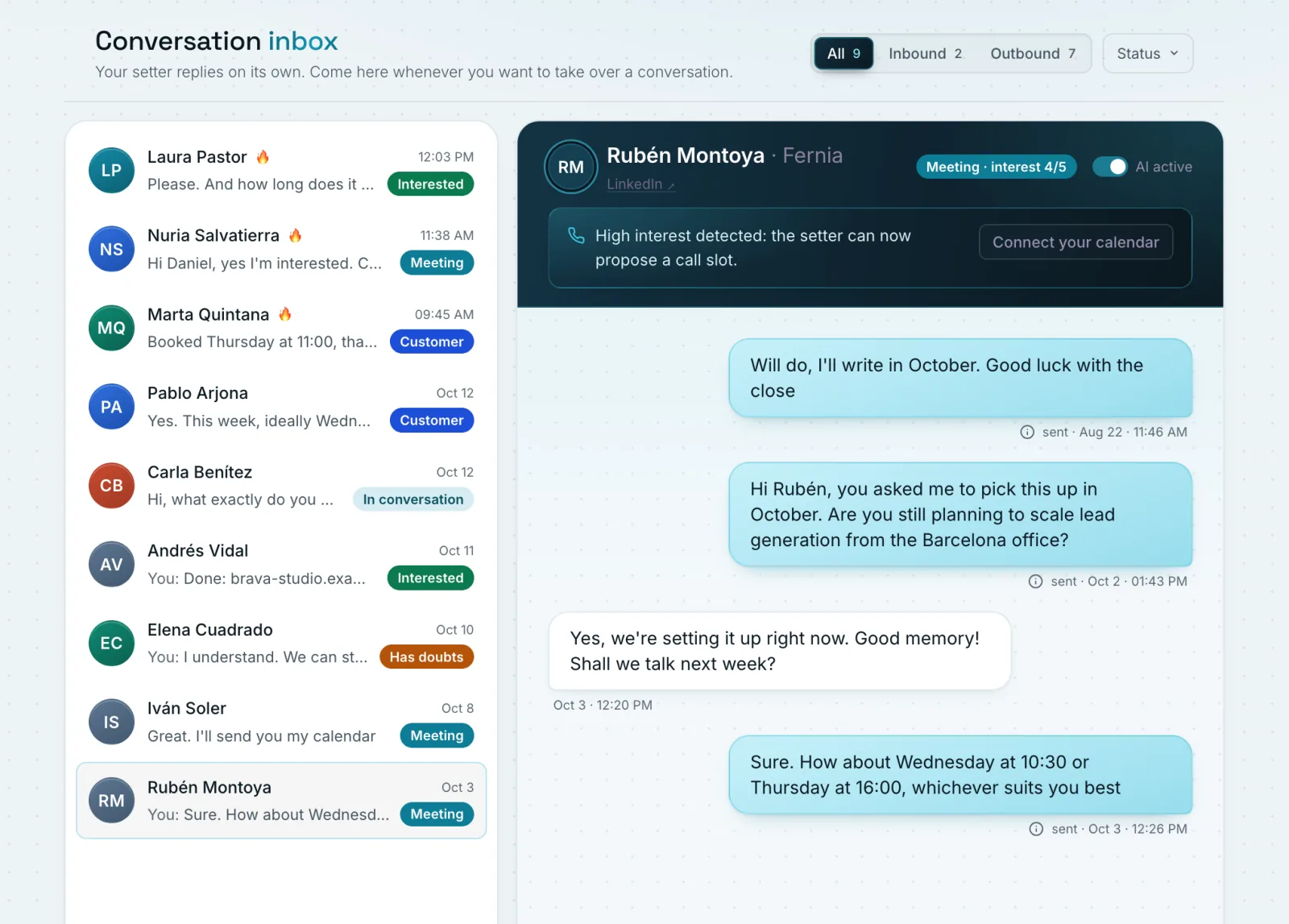
Follow-ups with context
Every message builds on what they already told you.
Voice notes in your own voice
A different audio for each conversation, in your tone.
Qualification before booking
It only proposes the meeting when there is fit and need.
When your ICP doesn't raise their hand
Settr gives them a real reason to reply.
Before asking for a call, Settr sends something useful: an audit, a comparison or a demo made for that company.
Pieces Settr can prepare for each prospect
Each piece is published on its own page, with the prospect’s branding.
Pieces Settr can prepare for each prospect
Tap a piece to see a published example
Prepared for Kliv
SEO audit of their homepage
kliv.es
Kliv | Booking and calendar software for dental and physio clinics across Spain
No meta description: Google shows the first bit of text it finds.
- No meta description
- Two H1 headings on the homepage
- 14 images without alt text
Each piece is published on its own page, with the prospect’s branding.
It doesn't contact more people. It contacts the right people better.
Your Settr doesn't start from scratch
If you already use FirstStone, the setup is practically done.
Settr starts with what FirstStone already knows about your company: offer, ideal customer, tone and case studies.
Review the campaign. Press play.
You can start without FirstStone too.
A guided onboarding defines your ideal customer and your first campaigns.
Pricing
A plan for every acquisition pace.
Ignition
99€per month
A setter that talks and books meetings for you on your LinkedIn account.
Credits a month1,800
- AI resources a month: up to 150
- LinkedIn accounts: 1
- Settr Autopilot: talks and books
- Connected email and voice notes in your voice
- Top-up packs whenever you need them
- Assisted onboarding (Not included)
- MCP and API: Claude, Claude Code, Codex and Cursor (Not included)
Overdrive
249€per month
For those who already sell every day: 3.6 times Ignition’s credits.
Credits a month6,500
- AI resources a month: up to 540
- LinkedIn accounts: 1
- Settr Autopilot: talks and books
- Connected email and voice notes in your voice
- Top-up packs whenever you need them
- Assisted onboarding (Not included)
- MCP and API: Claude, Claude Code, Codex and Cursor (Not included)
Singularity
499€per month
High volume: almost 8 times Ignition’s credits.
Credits a month14,000
- AI resources a month: up to 1,160
- LinkedIn accounts: 1
- Settr Autopilot: talks and books
- Connected email and voice notes in your voice
- Top-up packs whenever you need them
- Assisted onboarding
- MCP and API: Claude, Claude Code, Codex and Cursor
Swipe to compare the plans
Create your account and look inside the panel before choosing a plan.
AI resources: if you spend the month’s credits building resources, at 12 credits each.
We look after your LinkedIn like it was ours
A human pace within your working hours, daily limits that vary and an automatic brake at the first warning. Included in every plan.
MCP and API
Run Settr from your Claude
If you already do everything by talking to your AI, you don't have to change. Connect Settr over MCP to Claude, Claude Code, Codex or Cursor and run your campaigns from there, next to the rest of your tools.
- No more screens. Launch, pause and adjust campaigns from the conversation you already have open.
- Everything in one place. Combine Settr with your CRM, your calendar or your own dashboard: your AI is the bridge.
- Your content for the week, sorted. Ask which post to recreate and it suggests the viral posts in your field, with why they fit you and what to adapt.
- Ask the way you talk. "Which campaign gets me the most meetings" or "why does nobody answer the third message", and it answers with your data.
- Your account, protected. Anything that puts your LinkedIn at risk can't be done, and nothing is sent or spent without your permission.
- And an API for those who code: connect it to your automations or your own software with Claude Code or Codex.
FAQ
Frequently asked questions
Inbound first, outbound second
The heart of Settr generates demand through posts and lead magnets. Outbound is a second path to reach profiles that match your ICP directly.
Who creates the lead magnets
Settr does. In-depth audits for each prospect, AI skills, ready-to-import n8n automations, templates and guides, always tied to your offer and branded as you.
Who gets the resource
Everyone who does what the post asks. Then Settr only follows up commercially with people who match your ICP.
Who books the meetings
When there is need, interest and fit, Settr brings the lead to your calendar. You or your team join the call to close.
Settr without FirstStone
Settr works as a standalone product. If you already use FirstStone, it reuses what it knows about your company and setup is much shorter.
Which companies it is built for
B2B agencies, consultancies, recruiters, automation and AI companies, SaaS and service businesses that use LinkedIn to win clients.
What is the Settr MCP
MCP is the standard Claude, ChatGPT and other AIs use to work with outside tools. The Settr MCP server lets your AI check and run your account: campaigns, inbox, lead magnets and results. You connect it once from your AI's settings and sign in with your Settr account.
Which AIs does it work with
Claude (web, desktop, mobile and Claude Code), Codex and Cursor. Not ChatGPT yet: it only connects by signing in to your account, and we will add it when it is ready. The developer page has the steps for each one.
What can I ask it
Whatever you would do in the dashboard, in your own words. For example: "set up a campaign for agency owners in Madrid with an audit of their website as the hook", "pause the Valencia campaign until Monday", "which messages are waiting for my approval", "prepare tomorrow's meeting with Marta" or "send the ones who said yes to my CRM".
Can it send messages or spend without me knowing
No. Launching campaigns and approving messages stay blocked until you turn them on, and they always ask for confirmation. Anything that would put your LinkedIn account at risk can't be done with any permission: your AI warns you and suggests the safe option.
And the API
It's the same as the MCP, built for coding: create campaigns, check results or get notified when someone books, from your software or your automations. With Claude Code or Codex you connect it in minutes.
What do I need
The Singularity plan and an account with the AI you use.
Does it use credits
Checking and asking costs nothing. Anything that creates something with our AI, like a carousel, a resource or the sample messages of a proposal, uses the same credits as in the dashboard.
What happens with my data
What your AI looks up is sent to your AI provider under your account's terms. By default it only shares summaries and figures, never your prospects' personal data. Whatever you add to your company memory you can view, export and delete whenever you want.

You show up to the meeting. Settr handles everything else.
- Inbound with lead magnets.
- Outbound that gives before it asks.
- Follow-ups with memory and your voice.